 Animaflow
Short animated films, made with AI
One script.
Twelve styles.
A film people
watch to the end.
Animaflow plans every scene, keeps your characters identical from the first shot to the last, animates each clip and layers in voice, sound effects and music. Pick one of 12 looks, from hand-drawn sketch to clay to anime. You direct. It renders.
Try it free: one 15-second animated video, no card needed.
- 12
- visual styles
- 17
- languages
- 3
- formats: 9:16, 16:9, 1:1

Scene 4 · same script, same shot
“The seedlings came up on the third morning.”
Brush-pen lines, soft shading, dramatic light.
Styles
Same story, 12 looks. Pick the one that fits.
The style applies to the whole film: the character sheet, every scene image and every clip follow it, so nothing drifts between shots.

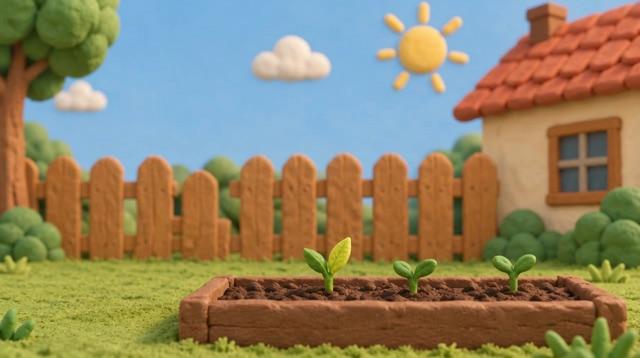




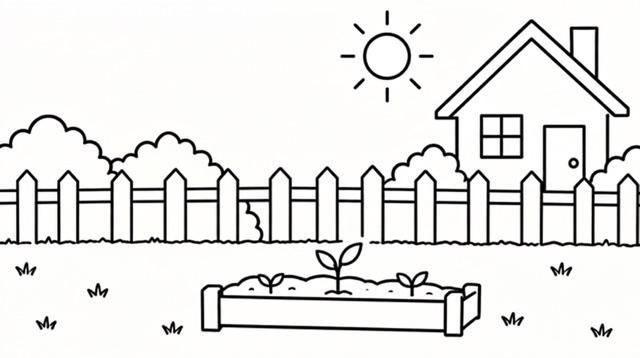
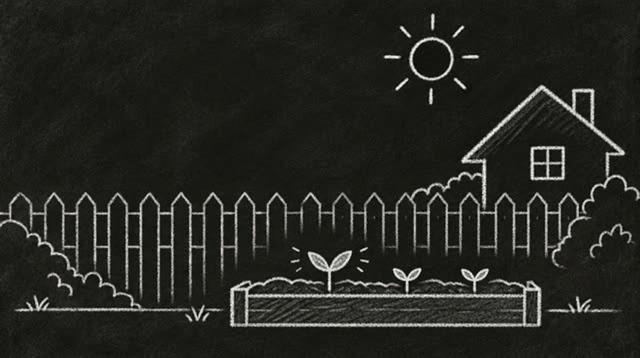



Every style is on every plan, including the free one. Characters stay the same across scenes in each of them.
The editor
Script in, finished film out.
Every scene gets its picture and, if you want motion, an animated clip with sound made for that moment. Voice and music sit on a timeline you can scrub, tweak and re-render.
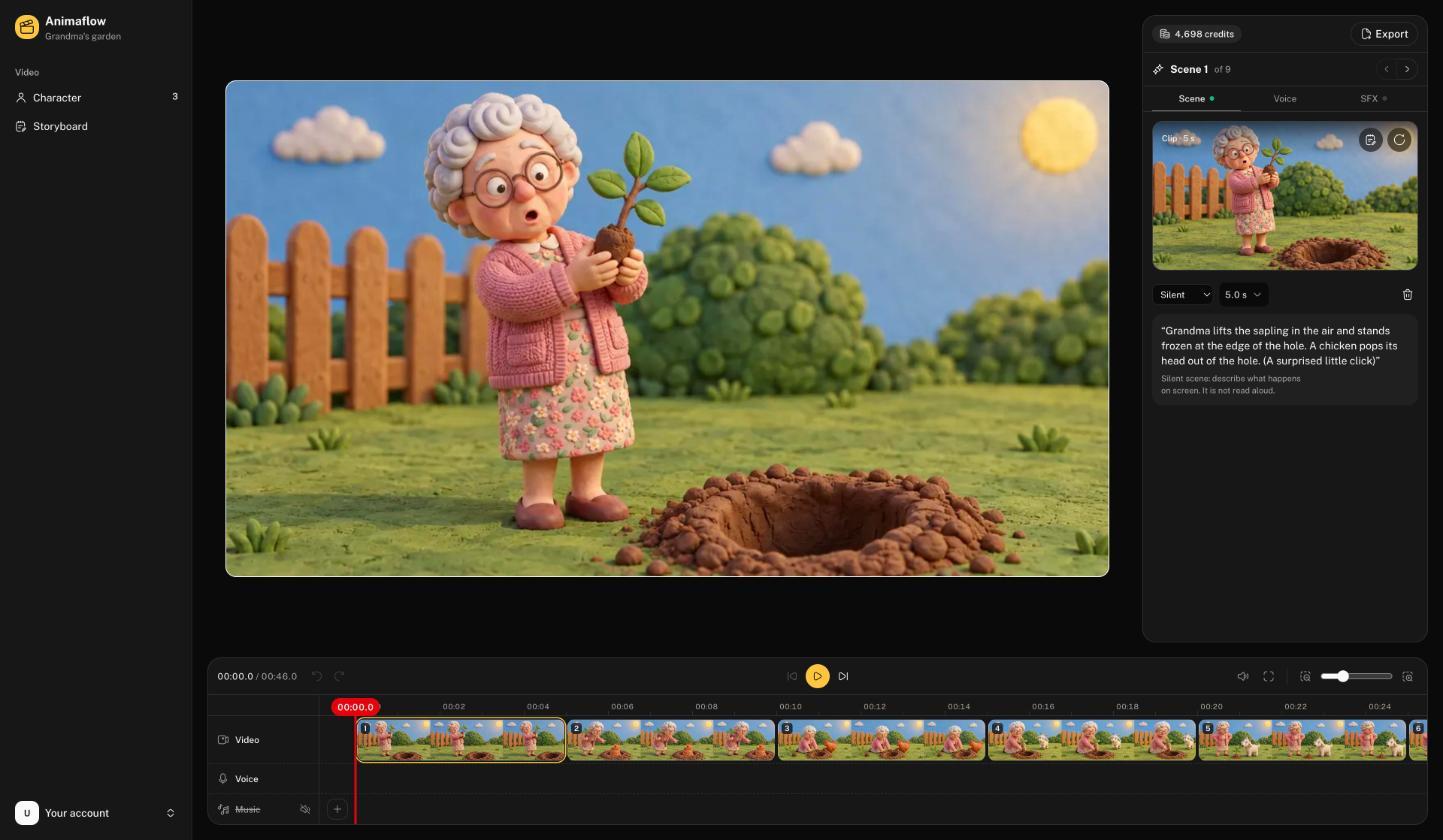
One cast, every scene
A reference sheet locks each character's face, proportions and outfit, in the style you chose.
Sound comes with the clip
Each clip is generated with its own sound, made to fit what happens in the scene. Nothing to place by hand.
Music, yours or made to fit
Add your own track, or let Animaflow compose background music that follows the scenes.
Moving or still
Animate every scene, or build the film from still pictures. Both export as a finished video.
Why most AI videos get skipped
Anyone can generate a clip. Keeping a story together is the hard part.
The character changes face by scene three.
Locked identity
Every frame is drawn from the same reference sheet. Add a second character and its identity stays locked too.
Clips are silent and feel empty.
Real sound design
Footsteps, phone taps, rain, room tone. Sounds are timed to what actually happens in the clip, not dropped in at random.
Arms bend wrong and objects float.
Clip review
Animaflow checks each clip for physics and continuity mistakes and feeds the fix into the next try, so retries get better.
How it works
From a few sentences to a finished film
The pipeline does the heavy lifting. You keep control over every scene.
- 01
Drop in your idea
Paste a script, or start from a topic and let AI write it. Any of 17 languages.
- 02
Cast and style it
Pick a character or bring your own. Choose one of 12 looks, and narrator or on-screen dialogue.
- 03
Review the scenes
Each line becomes a scene with a frame, a clip and sound. Adjust any scene or sound, or just leave a director's note.
- 04
Export and post
9:16, 16:9 or 1:1, up to 1080p, with title ideas, a description and a thumbnail ready to go.
Features
Everything a story channel needs, in one place
No stitching together five tools. Script, frames, animation, voice and sound live in the same project.
Sound on five tracks
Voice, SFX, ambience and music, each on its own track, timed to the action in every clip.
Four ways to tell it
Pick how the story is voiced.
- Mixed, AI decides per line
- Narrator voiceover
- Character speaks on screen
- Silent film, no voice
Your own cast
Start from a ready character or describe yours. It is drawn in your style.


Direct with words
Leave a note and the scene updates.
Make the footsteps a bit louder
Done. SFX on scene 4 raised by +4 dB.
17 languages
Write in your language. Voices follow it automatically.
Every format
One project, the right shape for each platform.
Shorts · Reels · TikTok
YouTube
Feed
Redo only what's wrong
Re-render one frame or one clip. Export at 1080p when you're happy. Every export comes with a thumbnail, titles and a description.
Scene 1
✓ Clip ready
Scene 2
↻ Re-rendering
Scene 3
✓ Clip ready
Made for
Every kind of story you post
Each one tends to have a look of its own. All of them are a script and a style away.
Faceless story channels
Relatable life moments, confessions, “what would you do” stories. Post daily without filming.
Try it
Explainers and lessons
Presenter mode puts the character next to the idea, so concepts stick.
Try it
Kids' stories
Dogs, cats and kids as the cast. Gentle narration in the child's own language.
Try it
Brand shorts
Turn a product story or a customer pain point into a 30-second film.
Try it
Platforms
One script. Every feed you post to.
Start a video in vertical 9:16, wide 16:9 or square 1:1. Animaflow renders it in that frame and exports an MP4, ready to upload.
YouTube
16:9 · Shorts 9:16
TikTok
9:16
Instagram
Reels 9:16 · Feed 1:1
Facebook
9:16 · 1:1 · 16:9
X
16:9 · 1:1
LinkedIn
1:1 · 16:9
Pricing
Simple plans, priced per render
Try one video free, then pick by the videos you make. Every plan has every style and every feature. Cancel anytime.
Free
See your story animated before you pay.
No card needed
100 credits
Once, no card needed
- One animated video, up to 15 seconds
- All characters, styles and narration modes
- Voice, SFX, ambience and music
- 768p export with watermark
Starter
Made for short videos on TikTok, YouTube Shorts and Reels.
Billed $288 yearly
1,500 credits / mo
Refreshed every month
- Up to 100 video clips (about 5 seconds each)
- Up to 8 min 20 s of video a month in total
- Or up to 750 scene images
- Short-form vertical videos
- All characters, styles and narration modes
- Voice, SFX, ambience and music
- Export up to 1080p, no watermark
Pro
Made for both short videos and long-form YouTube.
Billed $900 yearly
4,800 credits / mo
Refreshed every month
- Up to 320 video clips (about 5 seconds each)
- Up to 26 min 40 s of video a month in total
- Or up to 2,400 scene images
- Short-form and long-form videos
- All characters, styles and narration modes
- Voice, SFX, ambience and music
- Export up to 1080p, no watermark
Ultra
Made for channels that publish long videos every week.
Billed $1824 yearly
10,000 credits / mo
Refreshed every month
- Up to 666 video clips (about 5 seconds each)
- Up to 55 min 30 s of video a month in total
- Or up to 5,000 scene images
- Short-form and long-form videos
- All characters, styles and narration modes
- Voice, SFX, ambience and music
- Export up to 1080p, no watermark
Need more? Add 500 credits for $15 anytime, on any paid plan.
A video clip is about 5 seconds, made from its scene image. Voice and sound use a few more credits per scene. Counts are the most you can make; redoing a clip uses credits again, and you only spend credits on what you render or redo.
FAQ
Questions, answered
Something else on your mind? Write to us and a human replies.
Do I need to know animation or editing?+
No. You write or paste a script, pick a character and a visual style, and Animaflow plans every scene, renders the frames and clips, and lays out the timeline. You can adjust any line, scene or sound if you want, but you don't have to.
How does the character stay the same in every scene?+
Each project has a reference sheet for the main character, drawn in the style you picked. Every scene image is generated from it, so the face, proportions and outfit don't drift. A second character can be added with its identity locked too.
Which visual styles can I use?+
Twelve, on every plan: cinematic sketch, anime film, clay, 3D cartoon, pastel crayon, paper cutout, Japanese woodblock, line drawing, blackboard, old map, Egyptian papyrus and a real-world look. The style applies to the whole film, so every scene matches.
What languages are supported?+
Scripts and voiceover work in 17 languages, including English, Turkish, Spanish, German, French, Portuguese, Arabic, Hindi, Japanese, Korean and Chinese. The language is detected from your script.
Can I use the videos on YouTube, TikTok and Instagram?+
Yes. Export in 9:16 for Shorts, Reels and TikTok, 16:9 for YouTube, or 1:1 for feeds. Videos on paid plans have no watermark. Each export can include title ideas, a description with hashtags and a thumbnail.
How long can my videos be?+
On paid plans there is no length limit: make videos as long as your credits allow. Pro has more than three times the monthly credits of Starter, so it suits long-form videos. The free trial makes one video of up to 15 seconds. Paid plans export up to 1080p.
Can I try it for free?+
Every new account gets one free animated video of up to 15 seconds, with voice and sound, so you can see the result before paying. No card needed. The trial video exports at 768p with a watermark; paid plans export up to 1080p without one.
How do credits work?+
Rendering images, clips and audio costs credits. Animaflow shows the estimated cost before anything renders, and you only re-render the scenes you choose to redo, never the whole video.
What can't I make with Animaflow?+
Animaflow is for original animated stories with its own cast of characters. You can't use it for deepfakes, face swaps or voice clones, to show a real person without their consent, or for sexual, violent, hateful or misleading content. The AI models reject these requests, and accounts that break the rules are closed. See the Acceptable use section of our Terms.
What if a clip comes out wrong?+
Redo just that scene. Animaflow can also review a clip for physics and continuity mistakes and feed the fix into the next attempt, so retries get better instead of random.
Your next film is a few sentences away.
Write the story. Pick the cast and the style. Animaflow handles the rest.